Analysis Types
Open in CMSAn analysis type defines what to measure in a conversation and how the result should be expressed — a yes/no answer, a numeric score, one or more categories, or a list of extracted items. When you run a Conversation Analysis, you choose one or more analysis types to apply across your selected conversations.
Two Kinds of Analysis Types
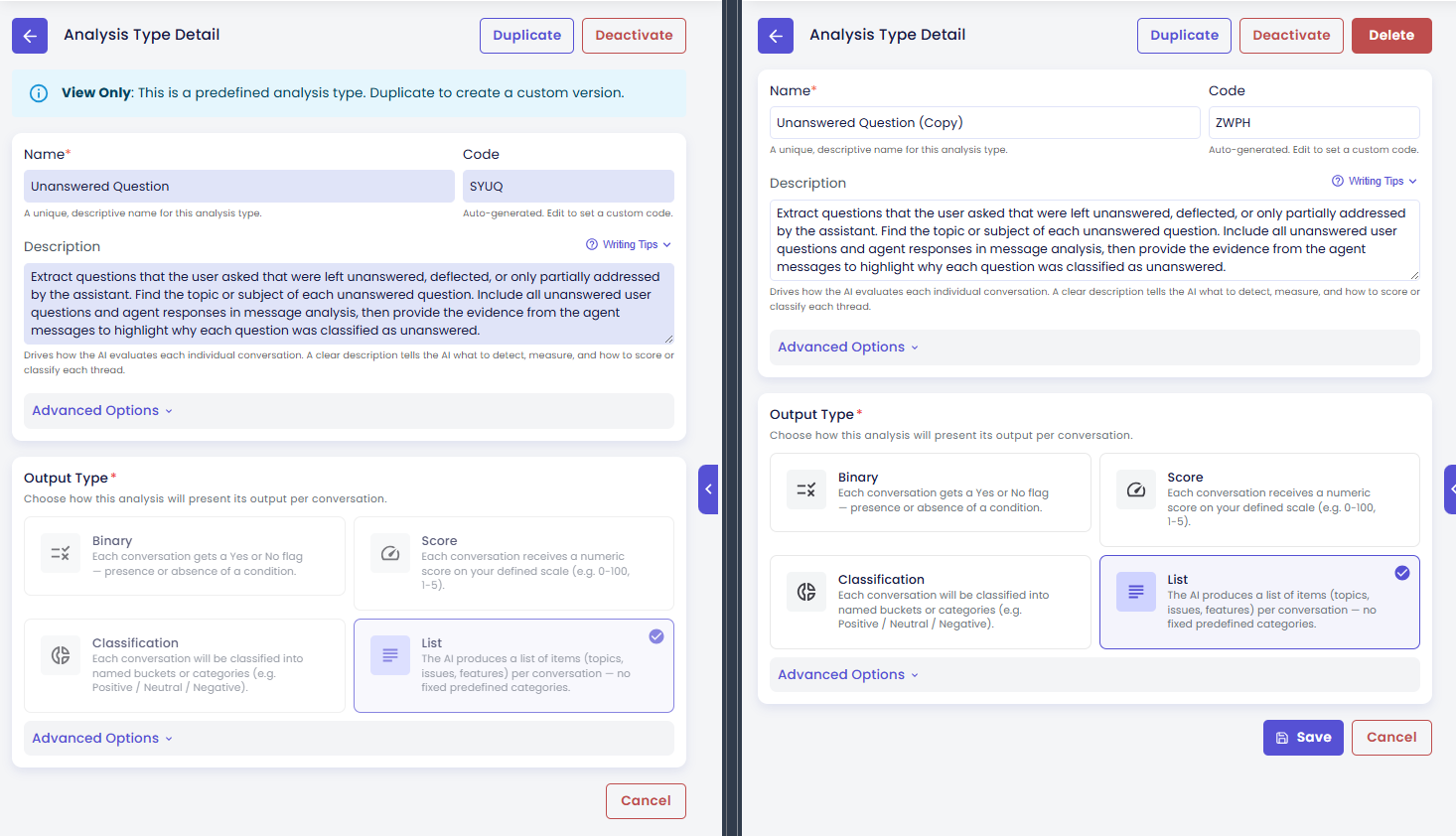
Predefined Types
Predefined types come built into the platform and are ready to use without any setup. Think of them as a curated library of common analysis patterns — complaint detection, sentiment, resolution quality, and more.
Predefined types are read-only: you can view their configuration and use them in runs, but you cannot edit them. If you want a variation of a predefined type, you can duplicate it and customize the copy to suit your needs.
Your Own Types (Custom)
Custom types are created by your team to measure something specific to your business. You have full control: edit, duplicate, deactivate, or delete them at any time.
Output Formats at a Glance
Every analysis type produces results in one of these four formats:
| Output Format | What It Returns | Great For |
|---|---|---|
| Binary | A yes/no result (with labels you define) | Complaint detected, escalation needed, goal achieved |
| Score | A number within a range you set | Resolution quality (1–5), effort score, satisfaction rating |
| Classification | One or more category labels | Sentiment (Positive / Neutral / Negative), topic category, risk tier |
| List | A set of extracted text items | Unanswered questions, mentioned products, recurring topics |
Explore Further
- Browsing & Managing Your Types — filter, sort, and switch between grid and list views
- Creating & Editing Types — set up a new type, configure its output, and understand what happens when you edit or delete