Run Detail Page
Open in CMSOpening any run from the Runs list — whether it's still processing or long finished — takes you to that run's own detail page. Everything on it is scoped to that one run: its conversations, its analysis types, its results. This page is always made up of exactly two tabs, switched with a ?tab= control near the top:
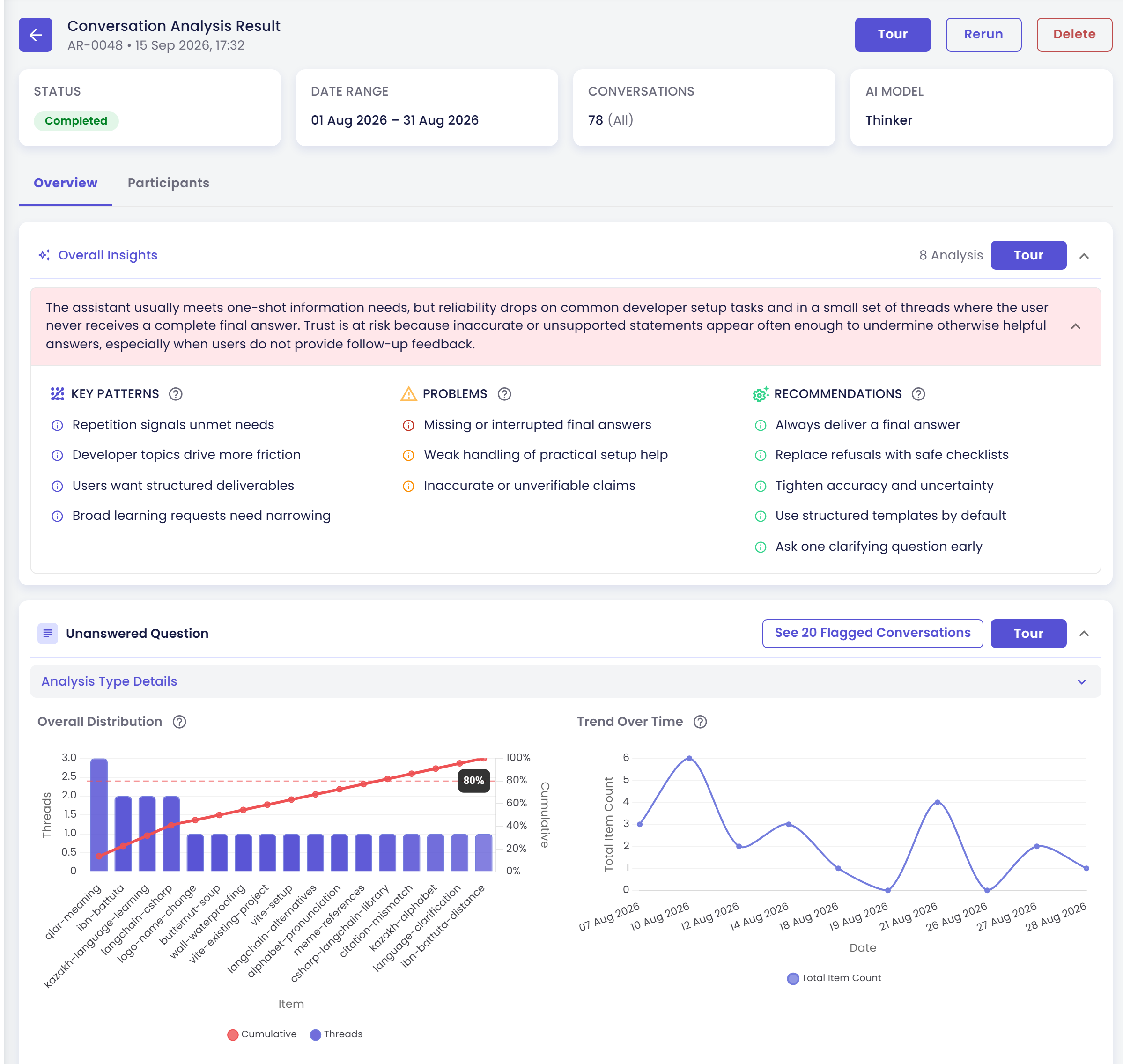
| Tab | Answers | Covered in |
|---|---|---|
| Overview | "How many conversations landed in each bucket?" — aggregate charts, trends, and AI-generated insights across every conversation the run analysed | Run Results: Overview Tab |
| Participants | "Who was behind those conversations?" — the same run turned inside out, one row per person, with every analysis type's result folded into a single value for them | Run Results: Participants Tab |
Both tabs are views onto the same underlying run — the same conversations, the same analysis types, the same results. Nothing you do on one tab (search, filters, sort) carries over to the other; they're independent views, not steps in a sequence.
Why Two Tabs
A single conversation-level result (say, "this conversation was classified Positive") can be rolled up in two directions:
- Roll it up by outcome, and you get the Overview tab: charts and stats answering "how many conversations came back Positive, Negative, Neutral?"
- Roll it up by person, and you get the Participants tab: one row per participant answering "for the conversations this person had, what did we conclude overall?"
Neither view is derived from the other — they're two independent aggregations of the same thread-level results, kept in separate tabs because the questions they answer, and the actions you take from each (drilling into a chart segment vs. opening one person's full history), are different enough to deserve their own layout.
Getting Here
You never navigate to a run's detail page directly from the sidebar — it's always reached by clicking a specific run:
- Go to Analytics → Analysis and stay on the Runs tab.
- Click any run, whether it's still running, completed, partially completed, failed, or stopped.
- The run's detail page opens on the Overview tab by default. Switch to Participants using the tab control near the top.