Test Your Agent's Quality
Open in CMSBy now Atlas answers from Kirana's policies, looks up live project data, asks Ledger for payment rules, hands urgent cases to a supervisor and can even speak. Every one of those abilities is another way for an answer to go wrong, and trying questions by hand in Preview stops being enough. This step teaches you to test Atlas the way you would test any important system: write the checks once, run them whenever you change something, and see exactly what failed. This is done with Simulation, which you find under Simulation in the agent sidebar.
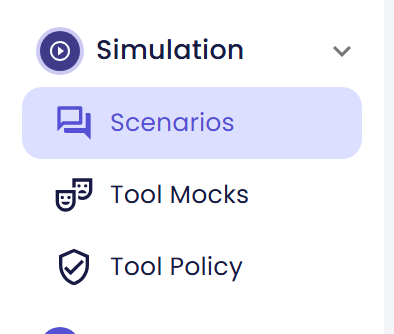
You build a small test suite for Atlas, test its project-status tool without touching real data, decide which of its tools may run for real during a test, and check every change before it reaches employees.
AI is involved throughout this step. Atlas writes its answers, Qlar suggests the pass criteria, and AI judges every criterion. Each of these can differ from one run to the next, so what you see will not be word for word what these pages show. Read one result as a sample, and run again before you decide that something is broken.
Before you start
- Atlas already answers well on its own. See Give Your Agent an Identity and Teach Your Agent.
- Atlas has its tools in place: Connect Your API for
get_project_status, and optionally Connect an MCP Server, Work With Other Agents and Hand Off to a Human. - You know how to save and publish changes. See Preview and Publish Changes.
- You have Owner or Contributor access to the agent. Other roles do not see Simulation in the sidebar.
Why test Atlas now
This is the last step of Stage 3. Until now each page asked you to check one new ability by hand: ask one question in Preview, read the answer, move on. That works while Atlas knows little. It stops working now, for three reasons:
- Changes ripple. A new document, a different Response Prompt or a new tool can quietly change an answer you checked last week. Only a repeatable check notices.
- Tools make tests risky. When Atlas calls
get_project_status, a test could read data that changed overnight. When it asks Ledger or hands over to a supervisor, a test could reach a real system or a real person. - Employees rely on the answers. An approval chain that is wrong is worse than no answer, and you want to find out before publishing, not from a site supervisor.
A scenario is a short conversation that you write once, with the answer you expect. A run plays your scenarios against Atlas and lets AI judge whether each answer did what you asked. You can run them again after every change.
What a test suite for Atlas covers
A good first suite for Atlas has three kinds of scenarios, in the same order as the pages of this step:
| What you check | Example for Atlas | Where it is covered |
|---|---|---|
| Knowledge answers | "Who has to approve a project worth $2.5 million?" must give Group Risk Office review, then Regional Director, then CFO, from SOP-FIN-007. | Build Your First Test Suite |
| The project-status tool | "What is the status of project KG-2041?" must report the status and approval stage that the tool returns, and an unknown code such as KG-9999 must get a polite "check the code". | Test Tools Safely with Mocks |
| Approval boundaries | A request for an exception to an approval limit that SOP-FIN-007 does not allow must not be decided by Atlas. It is covered there as one example, an escalation scenario. | Choose Which Tools Run Live |
A fourth page shows how to use the suite every time you change Atlas: Test Changes Before You Publish.
The pages in this step
| Page | What you will do |
|---|---|
| Build Your First Test Suite | Make a Kirana Projects folder, write three scenarios about what Atlas knows, run them and read the result. |
| Test Tools Safely with Mocks | Script the answers of get_project_status so a scenario about project status gives the same tool result every time, and nothing real is touched. |
| Choose Which Tools Run Live | Decide, for the whole agent, which of Atlas's tools may run for real during a test and which stay blocked, and see how one scenario can allow a tool to run live. |
| Test Changes Before You Publish | Change a setting of Atlas, run the suite on Draft, compare it with Published, and publish when the result is right. |
Where to start: if you have never created a scenario, begin with Build Your First Test Suite. Atlas needs no tools for those first scenarios. If Atlas already has a suite and your question is about tools, go to Test Tools Safely with Mocks. If you only want to check a change before publishing, open Test Changes Before You Publish.
Check the result
When you have worked through this step, you should be able to say these things about Atlas:
- It has a folder of scenarios that you can run in one click, and you know which of them passed.
- You know which of its tools are blocked, mocked or allowed to run live in a test.
- You can run the same suite on Draft and compare it with Published before you click Publish.
Next steps
- Next in this step: Build Your First Test Suite.
- Next in the journey: Remember Each User, the first step of Stage 4, so Atlas can remember where each person works.
- Field-by-field reference: Scenarios, Results, Tool Mocks and Tool Policy.
- The same features in more depth: the Simulation section, starting with Overview and Your First Simulation, then Run Simulations, Read the Results, Tools in Simulations, Tool Mocks and Tool Policy.
- Previous step: Talk by Voice.